
Projects & Collaboration
Zoho Mail solutions set up the way you work.
Custom-domain business email with encryption, admin policies, retention and a built-in calendar, set up and migrated for your organization.
- Customer Email
- Partners
- Web Forms
- Mobile
- Calendar Invites
- Attachments
 Zoho MailProjects & Collaboration
- Organized Inbox
- Tasks & Notes
- Secure Archive
About Mail
What Zoho Maildoes.
The core of what Zoho Mail offers, based on Zoho's official product documentation. It gives IT one controlled platform for company email, covering domain setup, security policies and legal holds.
- ProfessionalEmail identity
- StrongerEmail security
- SimplerMail admin
01Custom domain email
Give everyone an address on your own domain and manage aliases and group mailboxes.
- Email hosting
- Domain aliases
- Email aliases
- Group management
02Email security
Encrypt mail at rest and in transit, and block spam, phishing and malware before it lands.
- S/MIME
- TLS
- Anti-spam
- Two-factor authentication
03Admin Console
Add users, assign roles and control sending and receiving rules from one console.
- User management
- Email policies
- Audit logs
- Mail Admin app
04Retention & eDiscovery
Keep mail under policy, place holds on search results and export them for audits or legal requests.
- Retention policies
- eDiscovery
- Holds
- Exports
05Inbox organization
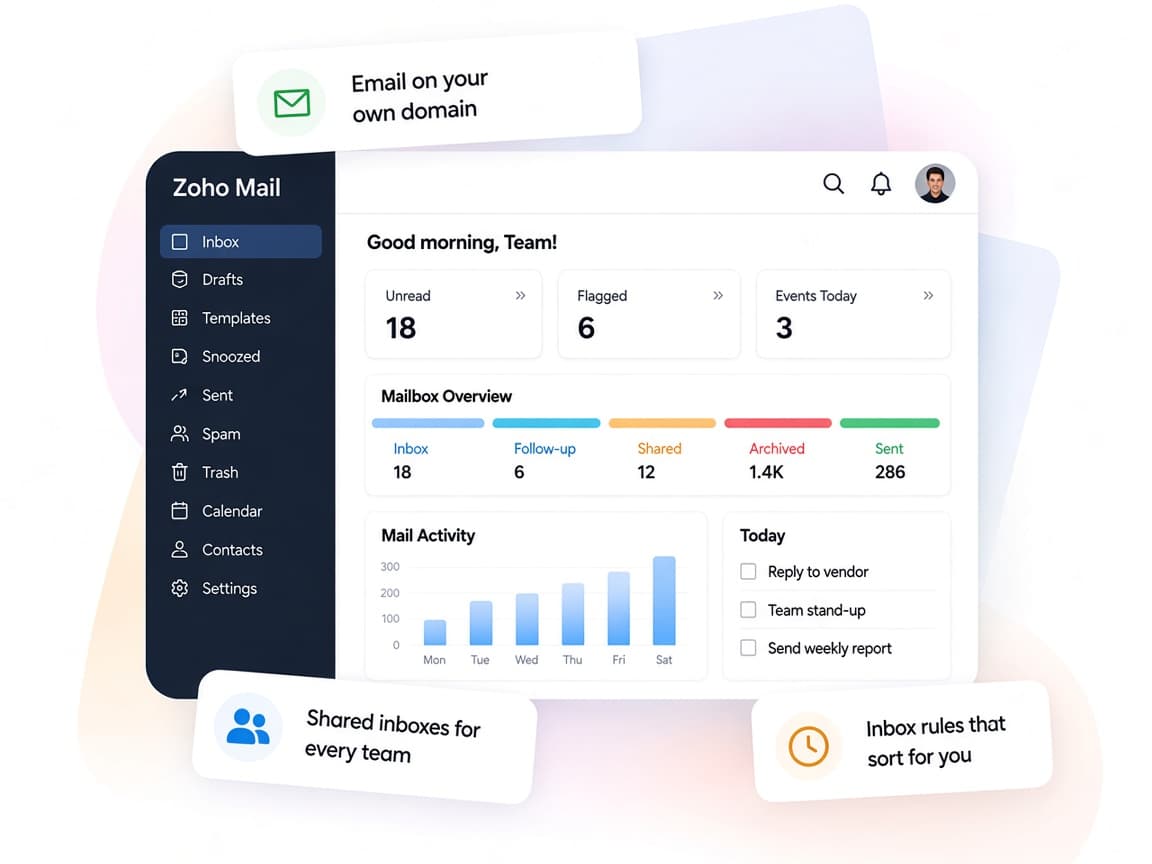
Sort incoming mail automatically and find any message with detailed search conditions.
- Filters
- Advanced Search
- Out of Office
- Signatures
06Mail suite apps
Calendar, contacts, tasks, notes and bookmarks sit right beside the inbox.
- Calendar
- Contacts
- ToDo
- Notes
- Bookmarks
07Team collaboration
Share drafts, folders and emails with colleagues and discuss them in a social-style feed.
- Streams
- Shared folders
- Draft sharing
08Zia & integrations
Draft replies and summarize long threads with Zia, and act in other apps without leaving the inbox.
- Zia
- Zoho Mail MCP
- Zapier
How Xevort helps
Making Mail work your way.
What our team can set up, customize and connect in Zoho Mail.
Setup
Organization, users, groups and aliases created from your current directory and mailbox list.
Customize
Signatures, filters, shared folders and mail suite settings tuned for each department.
Automate
Filters, email routing rules and API-based automation that act on incoming mail.
Integrate
Mail connected with CRM, Desk, Projects and Books, plus Zoom, DocuSign or Slack from the inbox.
Domain setup
Domain verification and MX, SPF, DKIM and DMARC records configured so mail is authenticated and routed correctly.
Mail migration
Mailboxes moved from Google Workspace, Microsoft 365, Exchange or IMAP servers, tested on sample users first.
Email policies
Sending rules, access restrictions, two-factor authentication and S/MIME set up across the organization.
Retention
Retention policies, eDiscovery access and audit logging configured for compliance and legal readiness.
Integrations
Connect Zoho Mailwith the tools you use.
We can connect Mail with other Zoho apps and the services you already use, so records move between them without anyone re-typing them.
- Native Zoho connectionsZoho apps that share data with each other out of the box.
- Delivered by XevortIntegrations our team has built on client projects.
- Officially supportedConnectors Zoho provides, set up and mapped to your process.



















Why choose Zoho Mail
Business emailyou fully control.
Zoho Mail gives your organization secure, ad-free email on its own domain, with the admin depth IT teams need.
- Mail plus suiteInbox, calendar, contacts, tasks and notes in one window.
- Shared workStreams, shared folders and draft sharing cut down on forwards.
- Policy-driven adminEmail policies, groups and roles reflect your org structure.
- Full audit trailAudit logs and eDiscovery show what happened and when.
- Zia in the inboxZia drafts replies and summarizes long threads.
- Private by defaultEncryption at rest and in transit, with no ads in your inbox.
FAQ
Zoho Mailquestions, answered.
Straight answers on setup, migration, integrations and timelines before you start.
Still have questions?
Tell us about your Zoho Mail setup and our team will get back to you.
Yes. Zoho Mail officially supports one-click migration from Google Workspace and Microsoft 365, plus IMAP, POP, Exchange, PST and EML options. We test with a sample set of users, plan the MX switch and run the full migration so mail keeps flowing.
Yes. We add and verify your domain, then set up MX, SPF, DKIM and DMARC records so mail is authenticated and delivered to the right place.
Zoho Mail supports email routing, which can deliver mail across two servers during a staged move. We assess whether this fits your setup and configure it if needed.
Yes. We configure default and custom retention policies, eDiscovery access and audit logging. Availability depends on your Zoho Mail plan, so we confirm what's included first.
Yes. Zoho Mail integrates with CRM, Desk, Projects, Books and other Zoho apps, plus tools like Zoom, DocuSign, Slack and Zapier. We set up the integrations your team will actually use.
This depends on the systems involved, API availability, data complexity, testing requirements and business rules. These are typical Xevort project estimates, not fixed delivery commitments.
Free Zoho consultation
Ready to get more from Zoho Mail?
Tell us how your business works, what you want to improve, and where Zoho fits today. We'll recommend the right approach, with no obligation.
- Reply within 1 business day
- New or existing Zoho setups
- Fixed-scope proposals