
Projects & Collaboration
Zoho Sprints solutions set up the way you work.
Backlogs, scrum and Kanban boards, releases and agile reports, configured so product teams plan and ship in steady iterations.
- Requirements
- Bug Reports
- Code Repos
- Stand-ups
- Customer Requests
- Team Chat
 Zoho SprintsProjects & Collaboration
- Sprint Boards
- Releases
- Velocity Reports
About Sprints
What Zoho Sprintsdoes.
The core of what Zoho Sprints offers, based on Zoho's official product documentation. Agile teams plan, track and review each sprint in one place, with the backlog, boards and release reports side by side.
- SteadierSprint velocity
- ClearerBacklog priorities
- FasterRelease cycles
01Backlog & planning
Prioritize unplanned work, group it into epics and tie delivery to measurable business goals.
- Backlog
- Epics
- OKRs
02Agile boards
Run active sprints on a scrum board, or manage continuous flow on Kanban with work-in-progress limits.
- Scrum board
- Kanban board
- WIP limits
03Work items
Use custom item types, links, tags and checklists so dependencies and blockers stay visible.
- Work item links
- Status timelines
- Tag management
- Custom item type
04Releases & DevOps
Plan incremental releases and follow builds and commits from connected DevOps tools.
- Release management
- Jenkins
- Azure DevOps
- GitLab CI/CD
05Quality & risk
Write and run test cases, log bugs from failed runs and plan responses to project risks.
- Test management
- Risk and opportunity
06Agile reports
Track progress with burndown, velocity, cumulative flow, lead time and cycle time reports.
- Burndown chart
- Velocity report
- Cumulative flow diagram
- Cycle time
07Time & budget
Log effort with a global timer, approve timesheets and watch spending against the plan.
- Timesheet
- Global timer
- Budget & expense management
- Leave tracker
08Customization & extensibility
Shape fields, layouts and modules per project, and automate steps with functions, APIs and webhooks.
- Custom module
- Layout rules
- Custom functions
- Webhooks
How Xevort helps
Making Sprints work your way.
What our team can set up, customize and connect in Zoho Sprints.
Setup
Workspace, projects, user groups and roles configured for your scrum or Kanban teams.
Customize
Item types, custom fields, layouts, layout rules and workflow statuses that match your definition of done.
Automate
Custom functions, email templates and webhooks that remove repetitive status and notification work.
Integrate
Sprints connected with GitHub, GitLab, Jenkins or Azure DevOps, plus Zoho Projects, Desk and Cliq.
Board design
Scrum and Kanban boards with clear workflow statuses and work-in-progress limits per stage.
Tool migration
Projects and work items imported from Jira, Trello or Azure DevOps and validated before teams switch.
Agile reporting
Velocity, burndown, cycle time and release reports set up so leads can follow every iteration.
Test management
Test suites, test cases and bug logging configured so QA runs inside the same workspace.
Integrations
Connect Zoho Sprintswith the tools you use.
We can connect Sprints with other Zoho apps and the services you already use, so records move between them without anyone re-typing them.
- Native Zoho connectionsZoho apps that share data with each other out of the box.
- Delivered by XevortIntegrations our team has built on client projects.
- Officially supportedConnectors Zoho provides, set up and mapped to your process.










Why choose Zoho Sprints
Agile deliverywithout the chaos.
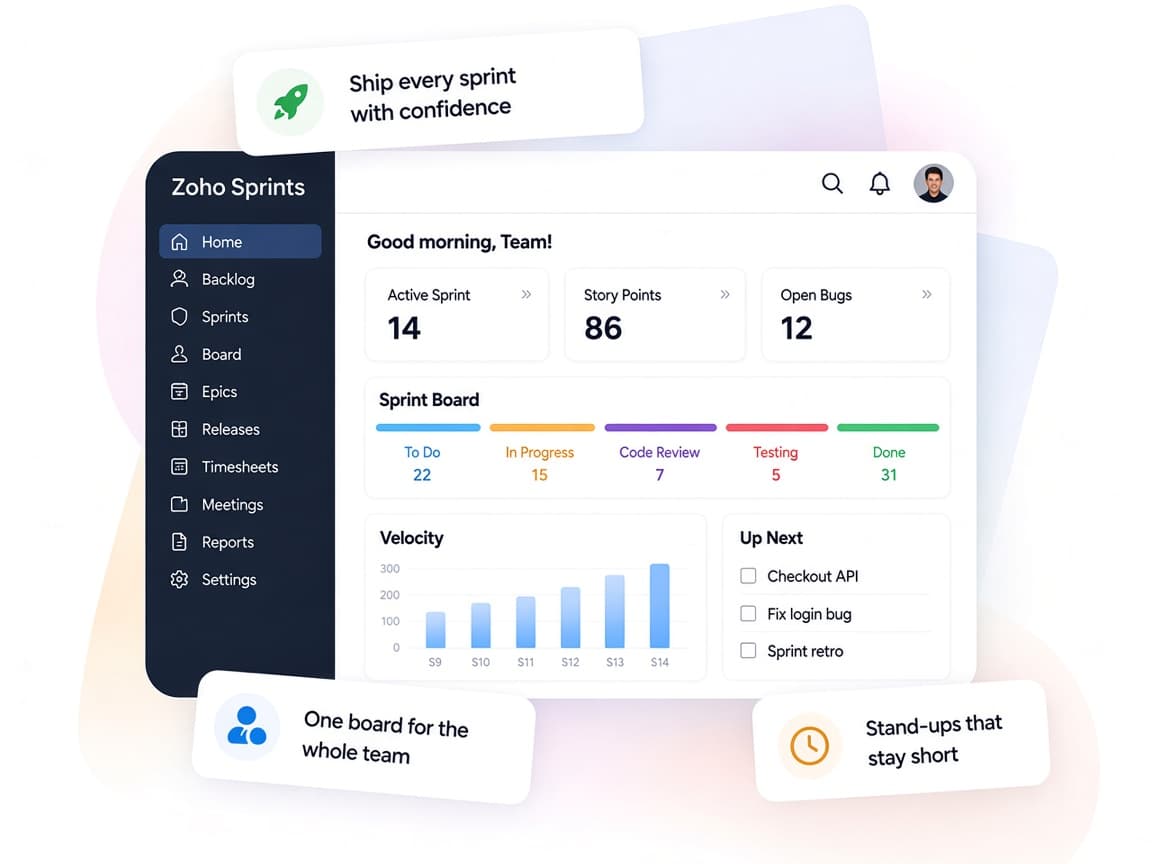
Zoho Sprints gives product and engineering teams a structured way to plan iterations, track work and learn from every release.
- Backlog to releaseEpics, sprints, releases and tests share one workspace.
- Aligned squadsMeetings, feeds and chats keep distributed teams talking.
- Scrum or KanbanBoards, statuses and item types fit the method each team prefers.
- Agile metricsVelocity, burndown and cycle time show how delivery is trending.
- Automated busyworkFunctions, webhooks and email templates cut repetitive updates.
- Role-based accessProfiles, roles and client portals control what each person sees.
FAQ
Zoho Sprintsquestions, answered.
Straight answers on setup, migration, integrations and timelines before you start.
Still have questions?
Tell us about your Zoho Sprints setup and our team will get back to you.
Yes. Zoho Sprints has official importers for Jira, Trello and Azure DevOps. We map item types, statuses and users, run the import and review the data with your team before the switch.
Yes. Sprints integrates with GitHub, GitLab, Bitbucket, Azure DevOps, AWS CodeCommit and Jenkins. We set up the connections so commits, pull requests and builds appear against the right work items.
Sprints suits teams that work in iterations with backlogs and boards, while Projects suits milestone-driven work. The two apps integrate, so organizations running hybrid projects can use both, and we help you decide which teams belong where.
Yes. We configure custom item types, fields, layouts, layout rules and statuses per project, and add custom functions or webhooks where your process needs more.
Yes. Once the workspace is tested, we train admins, scrum masters and contributors on boards, sprint planning, timesheets and reports.
This depends on the systems involved, API availability, data complexity, testing requirements and business rules. These are typical Xevort project estimates, not fixed delivery commitments.
Free Zoho consultation
Ready to get more from Zoho Sprints?
Tell us how your business works, what you want to improve, and where Zoho fits today. We'll recommend the right approach, with no obligation.
- Reply within 1 business day
- New or existing Zoho setups
- Fixed-scope proposals