
Customer Support
Zoho Desk solutions set up the way you work.
Context-aware help desk software for omnichannel ticketing, SLAs, self-service portals and Zia AI, shaped around your support team.
- Phone
- Live Chat
- Instant Messaging
- Social Media
- Web Forms
 Zoho DeskCustomer Support
- Tickets & SLAs
- Knowledge Base
- Support Reports
About Desk
What Zoho Deskdoes.
The core of what Zoho Desk offers, based on Zoho's official product documentation. It brings every support channel, process and knowledge article together so agents resolve requests with the full picture.
- QuickerResolutions
- HappierCustomers
- OrganizedSupport team
01Omnichannel ticketing
Handle requests from every support channel in one interface, with the full customer history beside each ticket.
- Phone
- Instant messaging
- Social media
- Web forms
02Agent workspace
Merge, split and link tickets, reply with context and pull in other teams to close requests.
- Ticket management
- Reply efficiency
- Collaboration
- Feedback management
03Self-service
Let customers find answers through a branded help center, chat flows and a peer community.
- Knowledge base
- Guided conversations
- ASAP
- Community
04Support automation
Route tickets by workload and skill, hold the team to SLAs and enforce a defined resolution process.
- Ticket assignment
- SLAs
- Blueprint
- Workflows
05Zia for Desk
Built-in AI that summarizes threads, reads ticket tone, suggests articles and drafts replies for agents.
- Zia Agents
- Answer Bot
- Ticket summary
- Tone analysis
06Customization
Run several brands or departments from one account and adapt modules and workspaces to each team.
- Multi-department setup
- Custom modules
- User personalization
07Support analytics
Measure first response, resolution time and SLA compliance with ready-made reports and dashboards.
- Built-in reports
- Dashboards
- AI dashboard
- Radar app
08Developer toolkit
Extend Desk with APIs, mobile SDKs and custom functions when built-in settings are not enough.
- APIs
- SDKs
- Custom functions
How Xevort helps
Making Desk work your way.
What our team can set up, customize and connect in Zoho Desk.
Setup
Departments, agents, roles, ticket statuses and business hours that reflect your support structure.
Customize
Ticket fields, layouts, custom modules and templates that capture what your agents need to know.
Automate
Assignment rules, Blueprint processes, workflows and Deluge custom functions for logic beyond settings.
Integrate
Desk linked to CRM, SalesIQ, Projects and your order or product systems, plus migration of past tickets.
SLA setup
SLA policies by priority, channel or customer, with escalations before targets are missed.
Help center
Branded help center on your domain with knowledge base, community and multilingual content.
Zia for Desk
Zia auto-tagging, field prediction, reply assistance and Answer Bot configured on your knowledge base.
Channel setup
Email, telephony, instant messaging, social and web forms connected so every request becomes a ticket.
Integrations
Connect Zoho Deskwith the tools you use.
We can connect Desk with other Zoho apps and the services you already use, so records move between them without anyone re-typing them.
- Native Zoho connectionsZoho apps that share data with each other out of the box.
- Delivered by XevortIntegrations our team has built on client projects.
- Officially supportedConnectors Zoho provides, set up and mapped to your process.
















Why choose Zoho Desk
Every support request,tracked to resolution.
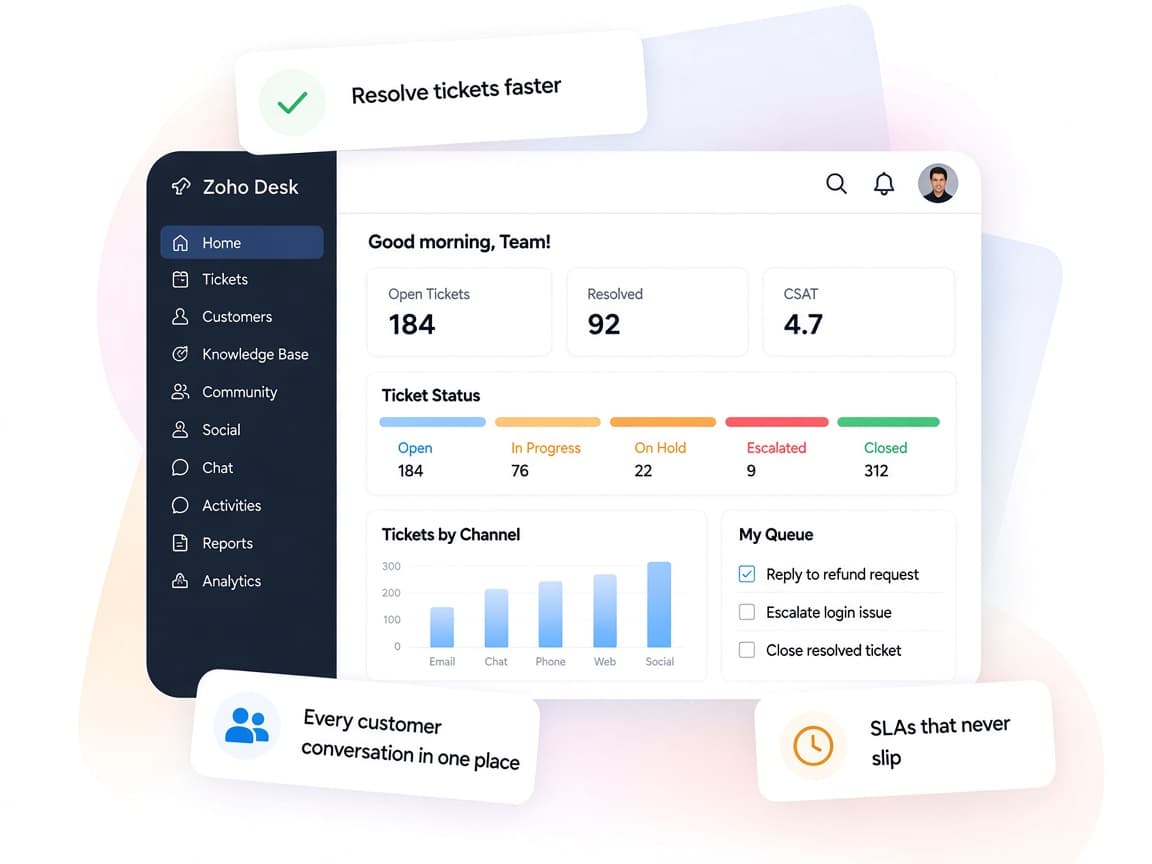
Zoho Desk gives service teams one workspace for every channel, with automation and AI that keep requests moving to resolution.
- Unified channelsEmail, phone, chat, messaging and social in a single ticket view.
- Teams that collaborateAgents loop in other departments without leaving the ticket.
- Processes enforcedBlueprint, SLAs and assignment rules keep every ticket on track.
- Service metricsResponse, resolution and SLA reports for managers and agents.
- Zia built inSummaries, tone analysis and reply help for every agent.
- Data protectedAccess controls and GDPR, HIPAA and CCPA-aligned AI privacy.
FAQ
Zoho Deskquestions, answered.
Straight answers on setup, migration, integrations and timelines before you start.
Still have questions?
Tell us about your Zoho Desk setup and our team will get back to you.
Yes. We define SLA policies by priority, channel or customer type, add escalation rules and notifications, and test them before your team goes live.
Yes. We map and import contacts, accounts, tickets and knowledge base articles from your existing tool or spreadsheets, and validate the data before switching over.
Yes. We connect Desk with Zoho CRM or other CRMs, and set up telephony providers such as RingCentral or Aircall so calls are logged as tickets.
Yes. We switch on Zia features such as ticket summaries, tone analysis and auto-tagging, and set up Answer Bot on your knowledge base. Availability depends on your plan and data center, so we confirm what you have first.
Yes. We set up the help center on your domain with your branding, knowledge base structure, community and the languages your customers use.
This depends on the systems involved, API availability, data complexity, testing requirements and business rules. These are typical Xevort project estimates, not fixed delivery commitments.
Free Zoho consultation
Ready to get more from Zoho Desk?
Tell us how your business works, what you want to improve, and where Zoho fits today. We'll recommend the right approach, with no obligation.
- Reply within 1 business day
- New or existing Zoho setups
- Fixed-scope proposals