
Automation
Zoho Flow solutions set up the way you work.
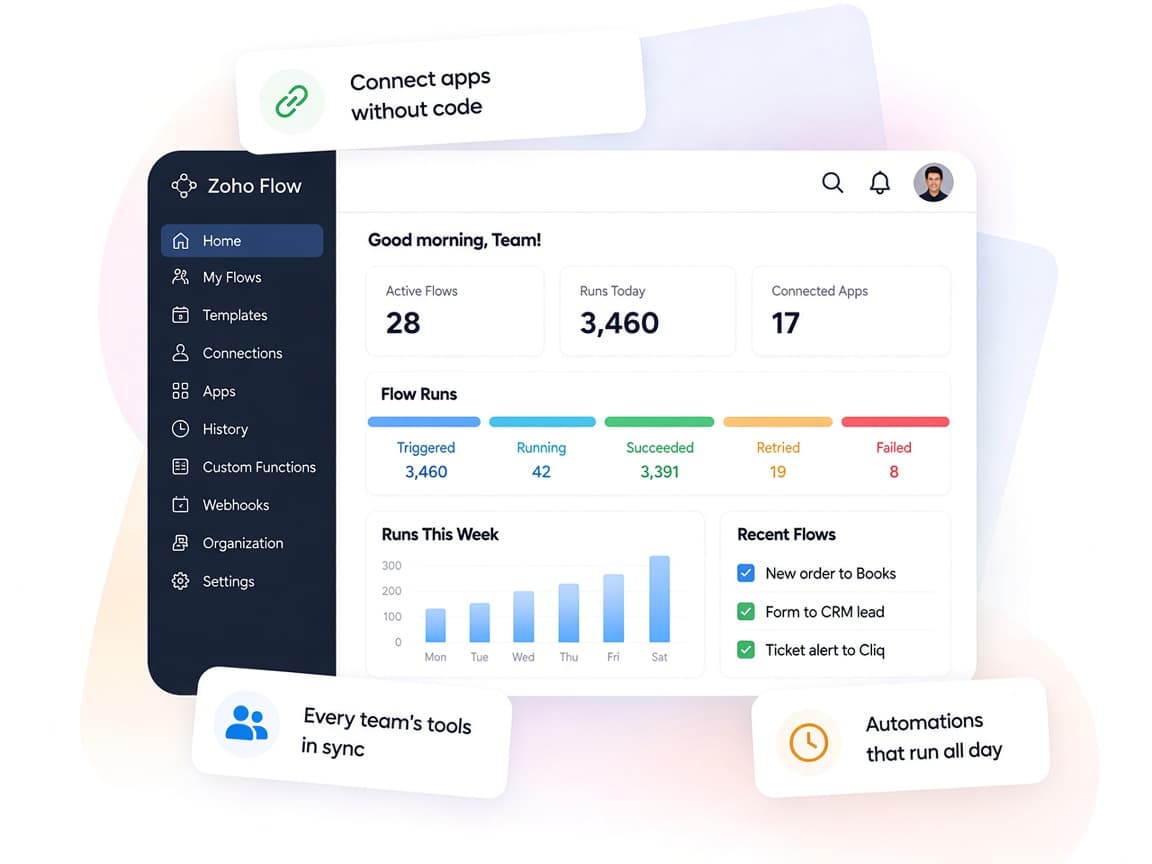
A no-code integration platform that connects Zoho, cloud and on-premise apps so data moves between them without manual re-entry.
- App Events
- Webhooks
- Schedules
- Emails
- RSS Feeds
- URL Checks
 Zoho FlowAutomation
- Synced Apps
- Notifications
- Flow History
About Flow
What Zoho Flowdoes.
The core of what Zoho Flow offers, based on Zoho's official product documentation. It closes the gaps between your apps, so records, alerts and updates reach the right place on their own.
- LessManual entry
- ConnectedApps
- ReliableData sync
01App library
Connect Zoho apps with popular cloud services from a library of over 1,000 apps, or start from a ready-made template.
- 1,000+ apps
- Workflow templates
- Premium apps
02Visual builder
Design multi-step workflows on a drag-and-drop canvas, then test and save drafts before switching them on.
- Drag and drop
- Test and debug
- Drafts
- Data mapping
03Logic & functions
Branch on conditions, add delays, reuse subflows and write Deluge custom functions for anything beyond standard steps.
- Decision
- Delay
- Subflows
- Custom functions
04Triggers
Start a flow from an app event, an incoming webhook, a schedule, a URL check, an RSS feed or a parsed email.
- App event
- Webhooks
- Schedule
- Email triggers
05AI in workflows
Generate flows from plain-text prompts, add Zia text utilities and let agentic actions pick the next step from context.
- AI workflow builder
- Zia Utilities
- Agentic actions
06On-prem integrations
Link cloud apps with systems on your private network through the On-Prem Agent, including SQL databases.
- On-Prem Agent
- SQL databases
- SAP apps (New)
07Monitoring
Track every execution, inspect the data passed between apps and rerun failed steps automatically or by hand.
- Flow history
- Auto rerun
- Manual rerun
- Versions
08Team governance
Assign member roles, share app connections without sharing passwords and organize flows into folders.
- User roles
- Connection sharing
- Folders
- Audit trail
How Xevort helps
Making Flow work your way.
What our team can set up, customize and connect in Zoho Flow.
Setup
Organization, members, roles and app connections configured, with shared access for your team.
Customize
Field mapping, filters and formatting adjusted so data lands correctly in each target app.
Automate
Multi-step workflows with decisions, delays and subflows that replace manual handoffs.
Integrate
Zoho apps linked with your CRM, accounting, store, marketing and communication tools.
Deluge functions
Scripts for calculations, lookups and API calls that standard actions can't handle.
Webhooks
Incoming and outgoing webhooks for your website, product or apps that lack a native connector.
On-prem setup
On-Prem Agent installed and secured to sync local databases and servers with cloud apps.
Monitoring
Failure alerts, flow history reviews and rerun rules so broken runs are caught and fixed quickly.
Integrations
Connect Zoho Flowwith the tools you use.
We can connect Flow with other Zoho apps and the services you already use, so records move between them without anyone re-typing them.
- Native Zoho connectionsZoho apps that share data with each other out of the box.
- Delivered by XevortIntegrations our team has built on client projects.
- Officially supportedConnectors Zoho provides, set up and mapped to your process.

















Why choose Zoho Flow
Stop copying databetween your apps.
Zoho Flow moves information between the tools you already use, so an update happens once and shows up everywhere it needs to.
- One integration hubCloud and on-premise connections managed in one place.
- Built togetherShared connections and roles let your team maintain flows.
- Mirrors your handoffsTriggers, decisions and delays follow how work really moves.
- Full visibilityFlow history shows every run and the data it carried.
- AI-powered stepsZia drafts flows from prompts and handles text tasks.
- Private and compliantGDPR compliance, encryption at rest and an audit trail.
FAQ
Zoho Flowquestions, answered.
Straight answers on setup, migration, integrations and timelines before you start.
Still have questions?
Tell us about your Zoho Flow setup and our team will get back to you.
Native integrations cover common cases well. We use Zoho Flow when you need multi-step logic, a connection to an app without a native integration, or data that moves across several tools at once.
Yes. The On-Prem Agent links cloud apps with systems on your private network, such as SQL databases. We install and configure it with your IT team. On-premise features depend on your plan.
Flow history records every execution along with error messages. We enable auto rerun where it is safe, set up failure alerts and agree on a review routine so problems get fixed rather than missed.
Yes. We write Deluge custom functions for calculations, lookups, formatting and API calls, and use webhooks for systems that Zoho Flow does not list.
Yes. We review current flows for duplicates, broken connections and task usage, then consolidate and document them so they are easier to maintain.
This depends on the systems involved, API availability, data complexity, testing requirements and business rules. These are typical Xevort project estimates, not fixed delivery commitments.
Free Zoho consultation
Ready to get more from Zoho Flow?
Tell us how your business works, what you want to improve, and where Zoho fits today. We'll recommend the right approach, with no obligation.
- Reply within 1 business day
- New or existing Zoho setups
- Fixed-scope proposals