
Finance
Zoho Expense solutions set up the way you work.
Travel and expense management with receipt scanning, card feeds, policies and reimbursements, tailored to your spend rules.
- Receipts
- Corporate Cards
- Mileage
- Trips
- Mobile App
 Zoho ExpenseFinance
- Approvals
- Reimbursements
- Spend Analytics
About Expense
What Zoho Expensedoes.
The core of what Zoho Expense offers, based on Zoho's official product documentation. Employees get a simple way to file claims, and finance gets a clear view of every trip, card swipe and receipt.
- QuickerReimbursements
- TighterPolicy control
- ClearerSpend view
01Corporate travel
Employees book flights, hotels and cabs within policy, while a travel desk handles requests that need an agent.
- Self-booking tool
- Travel desk
- Duty of care
- Guest house booking
02Expense reporting
Snap a receipt and the details are extracted, categorized and gathered into reports automatically.
- Autoscan
- Expense report automation
- Split expenses
- Petty cash
03Corporate cards
Card transactions arrive in real time and are matched to receipts for quicker reconciliation.
- Instant feeds
- Direct feeds
- Automatic expense matching
04Reimbursements
Pay employees back through bank transfers, ACH or your payroll and accounting systems.
- Direct bank reimbursements
- ACH reimbursements
- Bank exports
05Per diem & mileage
Apply destination-based daily allowances and turn tracked business rides into claims.
- Per diem
- Location-specific rates
- Mileage tracking
06Spend control
Budgets, policies and limits catch out-of-policy spending before it is approved.
- Policies
- Budgets
- Rules and limits
- Audit trails
07Purchase requests
Route purchase requests to the right approver and buy from preferred vendors.
- Purchase requests
- Guided buying
- Purchase orders
08Automation & analytics
Workflow triggers and custom functions run routine steps, and templates surface spending trends.
- Workflows
- Webhooks
- Custom functions
- Analytics templates
How Xevort helps
Making Expense work your way.
What our team can set up, customize and connect in Zoho Expense.
Setup
Users, departments, categories, currencies and approvers configured for your organization structure.
Customize
Page layouts, additional fields, custom roles and web tabs shaped around how claims are filed.
Automate
Workflow rules, email alerts, webhooks and Deluge custom functions for routine expense steps.
Integrate
Expense linked to Books or your ERP, Payroll, HR records and the card and travel providers you use.
Spend policies
Policies, budgets, per diem rates and limits that flag violations as claims are created.
Card feeds
Corporate card feeds connected and matching rules set so transactions become expenses automatically.
Travel desk
Trip requests, booking preferences and agent assignment configured for your travel program.
Reimbursements
Payout method chosen and configured, from direct bank transfers to settlement through payroll.
Integrations
Connect Zoho Expensewith the tools you use.
We can connect Expense with other Zoho apps and the services you already use, so records move between them without anyone re-typing them.
- Native Zoho connectionsZoho apps that share data with each other out of the box.
- Delivered by XevortIntegrations our team has built on client projects.
- Officially supportedConnectors Zoho provides, set up and mapped to your process.















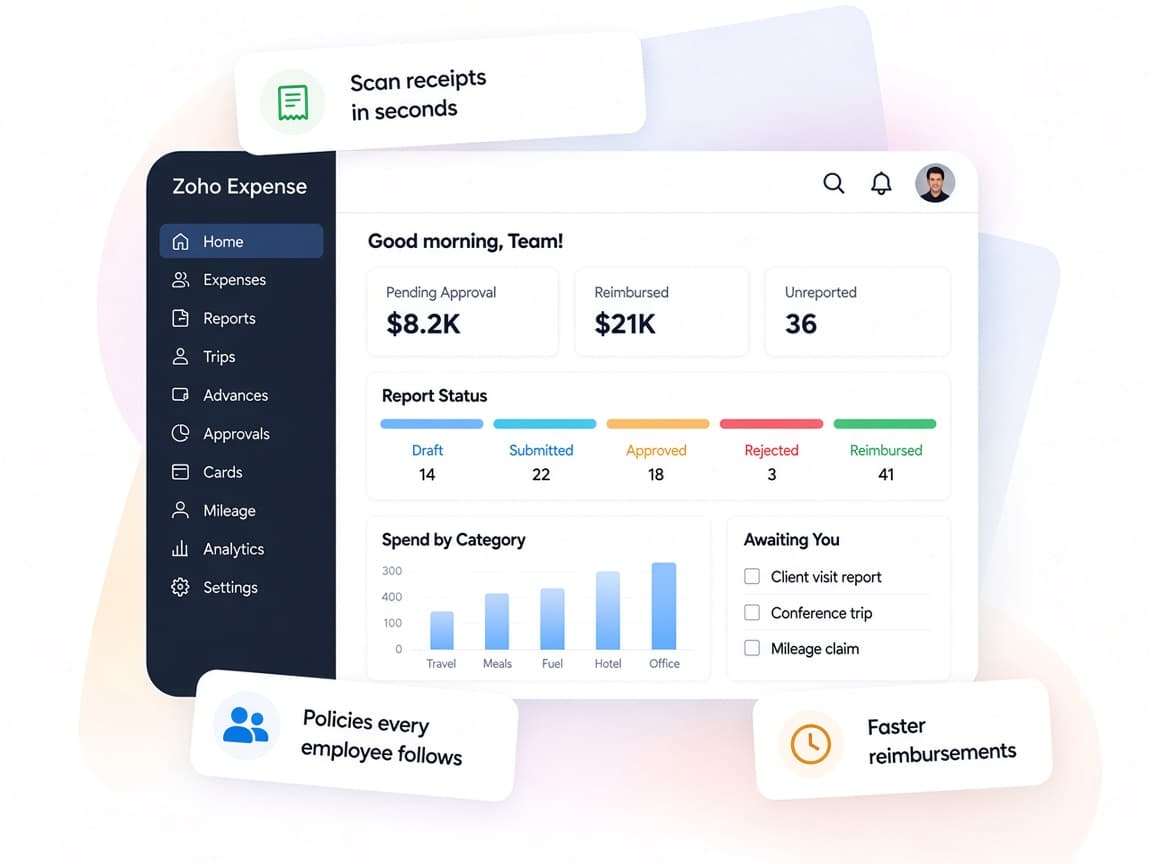
Why choose Zoho Expense
Expense claims withoutthe paper chase.
Zoho Expense replaces receipt envelopes and spreadsheets with a mobile-first process for travel, cards, approvals and reimbursements.
- Travel to payoutTrips, expenses, cards and reimbursements in one app.
- Faster approvalsManagers review and comment on line items from anywhere.
- Your rules enforcedPolicies, limits and multi-level approvals that match yours.
- Spend visibilityBudgets vs actuals and analytics by team, project or category.
- Autoscan receiptsReceipt details extracted and categorized for you.
- Protected dataRole-based access, SSL encryption and multi-factor sign-in.
FAQ
Zoho Expensequestions, answered.
Straight answers on setup, migration, integrations and timelines before you start.
Still have questions?
Tell us about your Zoho Expense setup and our team will get back to you.
Yes. We translate your travel and expense policy into categories, limits, per diem rates and approval levels, so violations are flagged before a report reaches finance.
Yes. Zoho Expense supports card feeds, including direct feeds from networks such as Visa, Mastercard and Amex. We connect your cards and set up matching so transactions turn into expenses.
Yes. We connect Zoho Expense to Zoho Books or to supported tools like QuickBooks, Xero and Sage, and map categories to the right accounts. ERP connections are scoped based on your system.
Yes, where your plan and region include it. We configure the self-booking tool or travel desk, trip approvals and travel policies so bookings stay within budget.
Options include direct bank reimbursements through ICICI and HSBC in India, ACH in the US and Canada, bank exports, or settlement through Zoho Payroll. We set up the method that suits your country.
This depends on the systems involved, API availability, data complexity, testing requirements and business rules. These are typical Xevort project estimates, not fixed delivery commitments.
Free Zoho consultation
Ready to get more from Zoho Expense?
Tell us how your business works, what you want to improve, and where Zoho fits today. We'll recommend the right approach, with no obligation.
- Reply within 1 business day
- New or existing Zoho setups
- Fixed-scope proposals