
Low-code
Zoho Tables solutions set up the way you work.
A spreadsheet-style relational database for organizing work, with linked records, flexible views, no-code automation and Zia-assisted base building.
- Spreadsheets
- Cloud Storage
- Zoho CRM Data
- Form Submissions
- Mobile Capture
- AI Prompts
 Zoho TablesLow-code
- Connected Bases
- Automated Updates
- Shared Views
About Tables
What Zoho Tablesdoes.
The core of what Zoho Tables offers, based on Zoho's official product documentation. It gives teams the familiarity of a spreadsheet with the structure of a database, without writing queries or code.
- LinkedData
- FlexibleViews
- FewerManual updates
01Relational data
Connect related tables so a change in one place shows up everywhere it is referenced.
- Linked Records
- Lookups
- Rollups
- Link record picklist
02Field types
Store attachments, formulas, ratings, multi-select options and more with defaults and validation.
- Formulas
- Attachments
- Collaborator field
- Default values
03Views
Look at the same data as a grid, board, gallery, calendar or timeline without affecting others' setups.
- Grid View
- Kanban View
- Gallery View
- Calendar View
- Gantt view
04Forms & sharing
Collect data through branded forms and share selected views with the access level each person needs.
- Form View
- View Share
- User roles
05No-code automation
Trigger emails, record changes and chat messages when records are created, updated or meet a condition.
- Record triggers
- Scheduled automation
- Conditions
- Send a Cliq message
06Zia AI
Describe what you need and Zia builds a base with related tables, plus AI fields that read text.
- AI base creation
- AI field types
- Zia Agents
- Zoho MCP
07Collaboration
Work in the same base at once, discuss individual records and review every change made.
- Live cursors
- Record comments
- Activity Log
- Group by
08Mobile & reports
Manage bases from iOS and Android apps, scan documents into tables and share summary reports (beta).
- Mobile app
- Document scanning
- Reports (beta)
- Templates
How Xevort helps
Making Tables work your way.
What our team can set up, customize and connect in Zoho Tables.
Setup
Workspaces, bases and member roles organized by team so data has a clear home from day one.
Customize
Field types, formulas, views and branded forms designed around how each team tracks work.
Automate
Record and scheduled automations that send emails, update linked records and post Cliq alerts.
Integrate
Tables connected to Zoho CRM, Cliq, Social and other apps through native options, Zoho Flow and Zapier.
Data model
Tables, links, lookups and rollups planned so information is entered once and reused safely.
Migration
Spreadsheets, Smartsheet workspaces and cloud files cleaned, mapped and imported into structured bases.
Access & sharing
Portal, workspace, base and view-level permissions set so each collaborator sees the right data.
AI setup
AI field types and Zia-generated bases reviewed and refined before your team starts using them.
Integrations
Connect Zoho Tableswith the tools you use.
We can connect Tables with other Zoho apps and the services you already use, so records move between them without anyone re-typing them.
- Native Zoho connectionsZoho apps that share data with each other out of the box.
- Delivered by XevortIntegrations our team has built on client projects.
- Officially supportedConnectors Zoho provides, set up and mapped to your process.











Why choose Zoho Tables
Outgrow spreadsheetswithout losing their ease.
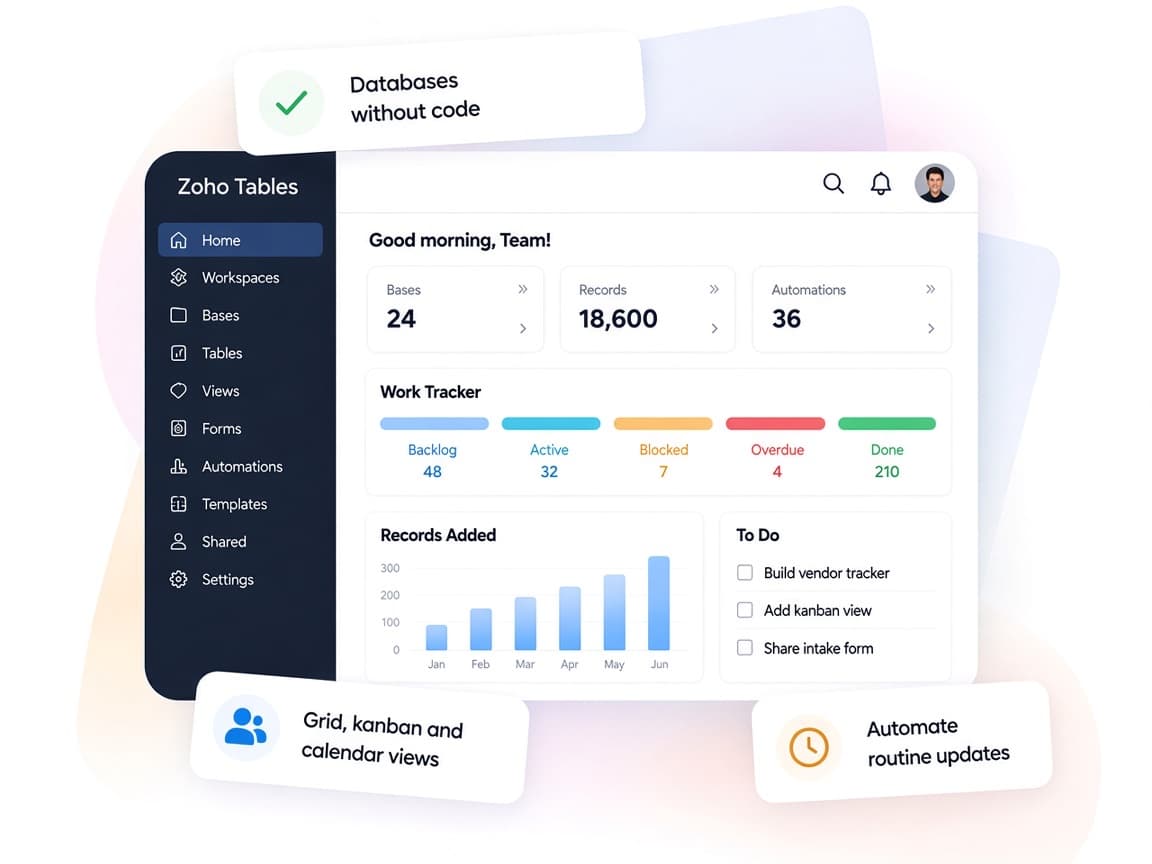
Zoho Tables replaces scattered sheets with connected bases that anyone on the team can shape, while automations and AI handle the routine updates.
- One version of the dataLinked tables keep related details consistent across every view.
- Built for teamworkLive editing, comments and assignments keep work moving together.
- Automation without codeTriggers, conditions and actions take care of repeat steps.
- See work your wayGrid, Kanban, calendar, gallery and Gantt views of the same data.
- Bases built with AIZia drafts tables, fields and links from a simple prompt.
- Granular permissionsRoles at portal, workspace, base and view level guard your data.
FAQ
Zoho Tablesquestions, answered.
Straight answers on setup, migration, integrations and timelines before you start.
Still have questions?
Tell us about your Zoho Tables setup and our team will get back to you.
Zoho Tables suits teams that want a structured, collaborative database with views and no-code automation. When you need full custom applications with complex logic and portals, Zoho Creator is usually the better fit. We help you compare the two against your requirements.
Yes. We clean and import files from Excel, CSV, cloud storage or Smartsheet, then restructure them into linked tables so duplicated data is removed rather than copied over.
Yes. Tables can import filtered data from Zoho CRM, and we use Zoho Flow or custom integrations where you need records kept in sync on an ongoing basis.
Yes. Zoho One customers can add Zoho Tables from their app list and get the Professional plan at no extra cost. We can set it up alongside the rest of your Zoho One rollout.
Yes. We build record-based and scheduled automations, add AI field types where they help, and review Zia-generated bases so the structure fits how your team actually works.
This depends on the systems involved, API availability, data complexity, testing requirements and business rules. These are typical Xevort project estimates, not fixed delivery commitments.
Free Zoho consultation
Ready to get more from Zoho Tables?
Tell us how your business works, what you want to improve, and where Zoho fits today. We'll recommend the right approach, with no obligation.
- Reply within 1 business day
- New or existing Zoho setups
- Fixed-scope proposals