
Office & Productivity
Zoho Sheet solutions set up the way you work.
Collaborative spreadsheets with Zia analysis, data cleaning, Deluge custom functions and live Data Connections, configured so shared numbers stay accurate.
- Excel Files
- Zoho Apps
- Web Forms
- Feeds & URLs
- Finance Data
- Team Edits
 Zoho SheetOffice & Productivity
- Pivot Reports
- Clean Data
- Shared Dashboards
About Sheet
What Zoho Sheetdoes.
The core of what Zoho Sheet offers, based on Zoho's official product documentation. Teams get a shared grid they can trust and audit, with imports, cleanup and pivot reports in the same file.
- CleanerShared data
- FresherLinked figures
- SaferSpreadsheet edits
01Team spreadsheets
Edit together live, comment on cells or ranges and send spreadsheets through review and approval steps.
- Real-time collaboration
- Cell comments
- Approval workflows
- Notify Collaborators
02Access control
Lock ranges for specific people, check a file out for solo edits and trace every change back to its author.
- Cell locks
- Check out
- Audit Trail
- Version History
03Zia for data
Ask questions in plain English, get suggested charts and pivots, and turn photos of tables into editable rows.
- Ask Zia
- Chart suggestions
- Convert images to sheet
- Fill data with patterns
04Charts & pivots
Summarize large datasets with pivot tables and visualize trends with charts, sparklines and color scales.
- Pivot tables
- Charts
- Sparklines
- Conditional formats
05Functions & macros
Use built-in formulas, write Deluge-powered custom functions and record or code macros for repeat jobs.
- Functions
- Custom functions
- VBA macros
- Record macro
06Data cleaning
Find duplicates, missing values and inconsistent entries, then fix them before they reach a report.
- Data Cleaning
- Duplicates
- Missing values
- Data validation
07Data Connection
Pull data from Zoho apps, external services, URLs and feeds, then refresh it on a schedule.
- Data Connection
- Connect External Apps
- Scheduled updates
- Feeds
08Interactive sheets
Add picklists, checkboxes, buttons and web forms so a spreadsheet works more like a small app.
- Picklists
- Checkboxes
- Buttons
- Web forms
How Xevort helps
Making Sheet work your way.
What our team can set up, customize and connect in Zoho Sheet.
Setup
Team folders, sharing defaults and collaborator roles arranged around the people who own each workbook.
Customize
Report templates with picklists, validation rules, conditional formats and protected input ranges.
Automate
Macros, approval workflows and Zoho Flow or Zapier links that take repetitive updates off your team.
Integrate
Sheet connected with CRM, Books, Creator and Forms, plus QuickBooks, Salesforce or HubSpot through Data Connection.
Data links
Data Connections to Zoho apps, external services and feeds with refresh schedules that keep figures current.
Deluge functions
Custom spreadsheet functions written in Deluge to fetch records or run calculations formulas can't.
Excel migration
Excel workbooks, including those with VBA macros, imported and checked so formulas and formats hold up.
Audit controls
Cell locks, check-out rules, audit trails and versioning set up for sensitive financial or HR sheets.
Integrations
Connect Zoho Sheetwith the tools you use.
We can connect Sheet with other Zoho apps and the services you already use, so records move between them without anyone re-typing them.
- Native Zoho connectionsZoho apps that share data with each other out of the box.
- Delivered by XevortIntegrations our team has built on client projects.
- Officially supportedConnectors Zoho provides, set up and mapped to your process.
















Why choose Zoho Sheet
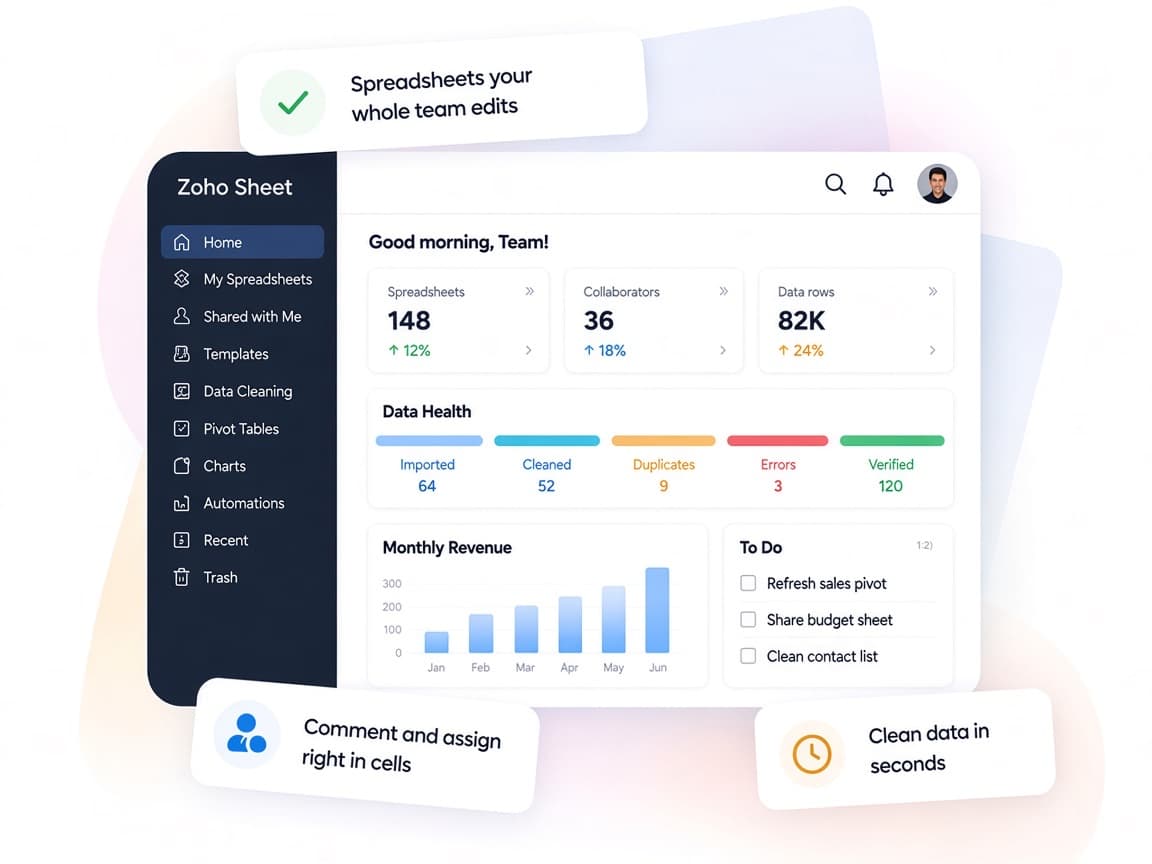
Spreadsheets yourwhole team can trust.
Zoho Sheet pairs familiar spreadsheet work with live data links, AI analysis and fine-grained controls, so shared numbers stay right.
- Data in one gridZoho apps, external services and feeds land in the same workbook.
- Edit side by sideLive edits, cell comments and group chat keep everyone current.
- Built-in approvalsReview workflows replace sign-offs over chat and calls.
- Answers on demandPivots, charts and Zia questions reveal trends without manual work.
- Quicker cleanupDuplicates, gaps and inconsistent entries are flagged for fixing.
- Every change tracedCell locks, Audit Trail and Version History protect key figures.
FAQ
Zoho Sheetquestions, answered.
Straight answers on setup, migration, integrations and timelines before you start.
Still have questions?
Tell us about your Zoho Sheet setup and our team will get back to you.
Yes. Zoho Sheet opens and saves XLSX, XLSM and XLS files, including workbooks with VBA macros. We import your key files, test formulas, macros and formatting, and fix anything that needs adjusting before teams switch.
Yes. Data Connection links Sheet to Zoho apps such as CRM, Books and Projects, to external services like Salesforce, QuickBooks and Jira Cloud, and to URLs or feeds, with scheduled refreshes. We set up the connections and choose which fields to bring in.
Yes. Sheet's custom functions run on Deluge and can fetch data from Zoho apps or other APIs. We write and test functions for the calculations your formulas can't handle.
We configure collaborator permissions, user-specific cell and range locks, check-out rules, Audit Trail and Version History, so edits are limited and traceable.
Yes. Once the setup is signed off, we train owners on Data Connections, macros and approvals, and show everyday users how to work with locks, comments and Zia.
This depends on the systems involved, API availability, data complexity, testing requirements and business rules. These are typical Xevort project estimates, not fixed delivery commitments.
Free Zoho consultation
Ready to get more from Zoho Sheet?
Tell us how your business works, what you want to improve, and where Zoho fits today. We'll recommend the right approach, with no obligation.
- Reply within 1 business day
- New or existing Zoho setups
- Fixed-scope proposals