
Office & Productivity
Zoho Notebook solutions set up the way you work.
A card-based notes app with AI meeting notes, Noteboards, Whiteboards and secure sharing, set up so team knowledge stays captured and findable.
- Meetings
- Voice Notes
- Emails
- Scanned Docs
- Web Pages
- Mobile Photos
 Zoho NotebookOffice & Productivity
- Structured Notes
- Task Boards
- Searchable Archive
About Notebook
What Zoho Notebookdoes.
The core of what Zoho Notebook offers, based on Zoho's official product documentation. Voice memos, clipped pages and shared boards end up in one searchable place, instead of scattered across apps and devices.
- CapturedMeeting notes
- TidierTeam knowledge
- PrivateNote storage
01Note cards
Pick a card type that matches the note, from typed text and checklists to voice recordings and sketches.
- Text Card
- Checklist Card
- Audio Card
- Photo Card
- Sketch Card
02Capture anything
Save web pages with the clipper, attach files, annotate PDFs and let Smart Cards format saved content.
- Smart Cards
- File Card
- Web Clipper
- PDF annotation
03Organization
Group cards into notebooks and nested collections, then tag them and set reminders to come back later.
- Notebooks
- Nested Collections
- Tags
- Reminders
04Notebook AI
Transcribe recordings into structured meeting notes, build mind maps and draft content with AI help.
- AI Meeting Notes
- AI Transcription
- AI Mind Maps
- Notebook MCP
05Boards & canvases
Track work on Kanban-style Noteboards and brainstorm with colleagues on shared Whiteboards.
- Noteboards
- Whiteboards
06Scan & search
Scan documents and business cards with your camera, then find text inside images, audio and files.
- Document scanning
- Business card scan
- Smart search
- OCR
07Sharing
Share cards, notebooks and collections with read, write or co-owner access, or send a public link.
- Share notebooks
- Co-owner access
- Public links
- Teams
08Security & admin
Lock notes with a password or biometrics, and manage roles and audit logs from the business admin console.
- Note lock
- Face ID / Touch ID
- Admin console
- Audit log
How Xevort helps
Making Notebook work your way.
What our team can set up, customize and connect in Zoho Notebook.
Setup
Notebook for Business organization, users and Teams workspaces arranged around departments and projects.
Customize
Notebook structures, nested collections, tags and meeting-note templates that make filing consistent.
Automate
Zoho Flow, Zapier or IFTTT links that save emails, chats and app events as notes automatically.
Integrate
Notebook connected with CRM, Bigin, Mail, Cliq and Meeting, plus Google Workspace, Slack or Teams.
Note migration
Notes moved from Evernote, OneNote, Google Keep or Pocket with the official tools, then reviewed.
Meeting notes
AI Meeting Notes templates set up so every transcript arrives formatted the way your team reviews it.
Team boards
Noteboards and Whiteboards organized for planning, brainstorming and tracking shared work.
Admin controls
Roles, permissions, sharing policies and audit log access configured from the admin console.
Integrations
Connect Zoho Notebookwith the tools you use.
We can connect Notebook with other Zoho apps and the services you already use, so records move between them without anyone re-typing them.
- Native Zoho connectionsZoho apps that share data with each other out of the box.
- Delivered by XevortIntegrations our team has built on client projects.
- Officially supportedConnectors Zoho provides, set up and mapped to your process.







Why choose Zoho Notebook
Notes that turninto team knowledge.
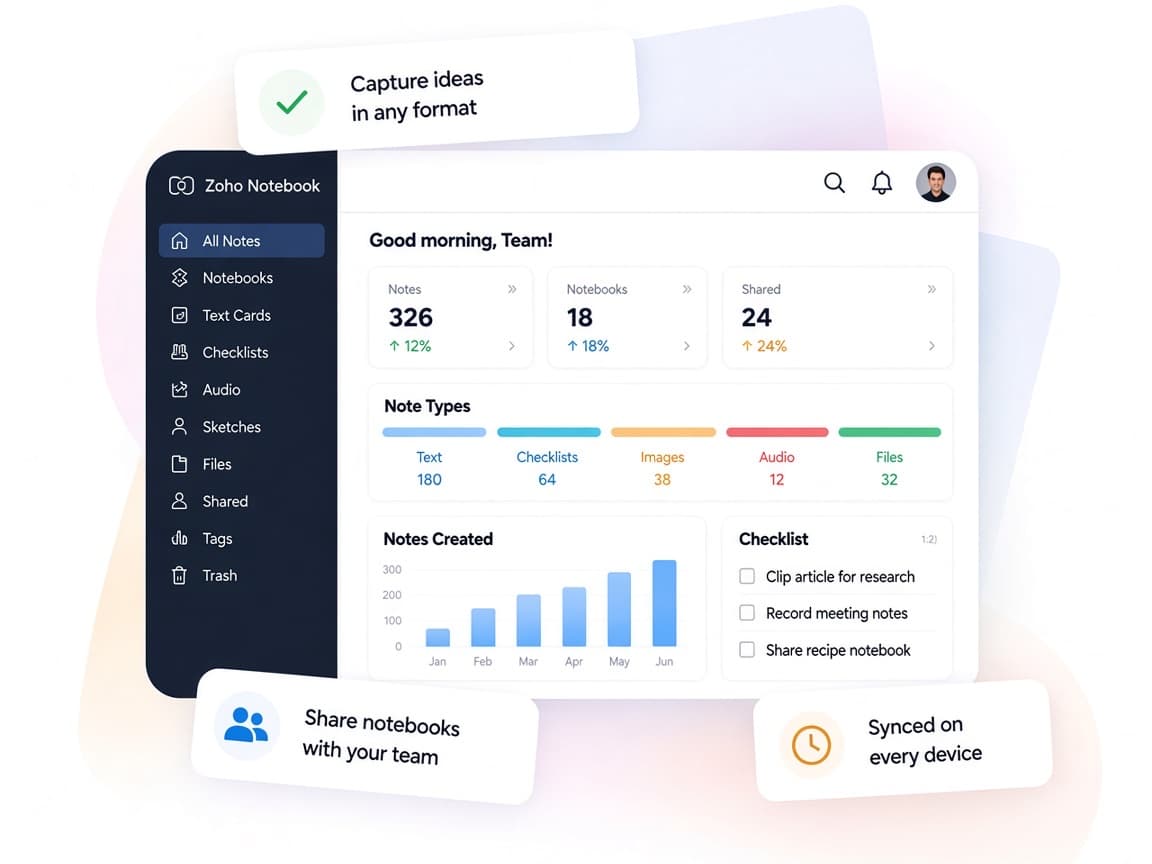
Zoho Notebook gives each kind of note its own card and adds AI, boards and admin controls, so ideas don't vanish after the meeting.
- Every format welcomeText, audio, photos, files and sketches live in the same notebook.
- Shared workspacesTeams, Whiteboards and shared notebooks bring people together.
- Organized your wayCollections, tags and Noteboards fit how each team files work.
- Find it fastSearch reaches inside images, documents and recordings.
- AI meeting notesRecordings become structured, searchable summaries.
- Privacy firstEncrypted storage, note locks and no ads protect your content.
FAQ
Zoho Notebookquestions, answered.
Straight answers on setup, migration, integrations and timelines before you start.
Still have questions?
Tell us about your Zoho Notebook setup and our team will get back to you.
Yes. Zoho Notebook offers official migration tools for Evernote and OneNote, and imports from Google Keep and Pocket. We plan the notebook structure, run the migrations and check the results, recreating tags where an import doesn't carry them over.
Notebook for Business includes Teams workspaces, Whiteboards, Zoho and third-party integrations, an admin console for roles and permissions, and audit log access. We confirm which features your plan includes, then configure them for your organization.
Yes. Notebook AI transcribes recordings and uploads into structured notes, and custom templates format each transcript automatically. We set up templates for your recurring meeting types.
Yes. Official integrations let your team add meeting notes, call summaries and follow-ups straight to CRM and Bigin records. We configure the integration and show sales teams how to use it day to day.
Yes. We train admins on roles, sharing and audit logs, and show users how to capture, organize and share notes across devices.
This depends on the systems involved, API availability, data complexity, testing requirements and business rules. These are typical Xevort project estimates, not fixed delivery commitments.
Free Zoho consultation
Ready to get more from Zoho Notebook?
Tell us how your business works, what you want to improve, and where Zoho fits today. We'll recommend the right approach, with no obligation.
- Reply within 1 business day
- New or existing Zoho setups
- Fixed-scope proposals