
Communication
Zoho Calendar solutions set up the way you work.
Shared team calendars, booking pages, meeting rooms and two-way Google and Outlook sync, set up so schedules stop clashing.
- CRM Activities
- Project Milestones
- Interview Slots
- Booking Pages
- External Calendars
- Email Invites
 Zoho CalendarCommunication
- Synced Events
- Reminders
- Room Bookings
About Calendar
What Zoho Calendardoes.
The core of what Zoho Calendar offers, based on Zoho's official product documentation. Personal schedules, team availability and meeting rooms sit side by side, so finding a time doesn't need a long email chain.
- FewerDouble bookings
- EasierTeam scheduling
- UnifiedCalendar view
01Event scheduling
Create one-off or recurring events, collect RSVPs and keep discussion threaded under each invite.
- Repeat events
- RSVP for events
- Threaded event invites
- Smart Add
02Availability
Share free/busy time, let the calendar suggest a slot and view two time zones side by side.
- Free/busy sharing
- Auto-suggest slot
- Secondary time zone
- Out of office
03Team calendars
See colleagues' schedules in one view, share calendars with granular access and delegate management.
- Team calendars
- Share calendars
- Delegate calendars
- Participant permissions
04Appointment booking
Publish booking pages with your availability, buffers and daily limits, and turn each booking into an invite.
- Booking pages
- Event generation
- Smart conflict check
- Verified appointments
05Rooms & resources
Reserve meeting rooms from the invite using floor plans, capacity details and available equipment.
- Book meeting rooms
- Resource booking
- Floor plans
06Conferencing
Add a video link to any event with Zoho Meeting or a third-party conferencing tool.
- Add conferencing
- Zoho Meeting
- Zoom
- Microsoft Teams
07Calendar sync
Bring Google, Outlook and Apple schedules into one view and move calendars in or out with standard files.
- Sync third-party calendars
- Import calendars
- Export calendars
- Embed calendars
08Admin & interoperability
Control permissions and event visibility, confirm invite delivery and check availability with Microsoft Exchange users.
- Interoperability
- Admin controls
- Event delivery status
How Xevort helps
Making Calendar work your way.
What our team can set up, customize and connect in Zoho Calendar.
Setup
Users, group calendars, time zones, working hours and sharing defaults configured for your organization.
Customize
Calendar categories, colors, reminder rules and permission levels shaped around how each team plans.
Automate
Events created from other Zoho apps with Deluge, plus Zapier or Power Automate flows and REST API jobs.
Integrate
Calendar connected to CRM, Projects, Recruit and Meeting, plus Google, Outlook, Zoom or Teams.
Calendar sync
Two-way Google and Outlook sync, CalDAV for Apple devices and Exchange interoperability tested end to end.
Booking pages
Branded booking pages with buffers, daily limits and Zoho Meeting links, embedded on your website.
Room resources
Meeting rooms, floor plans and equipment added as bookable resources with clear capacity details.
Data migration
Existing events imported from Google Calendar, iCal or CSV files and checked before teams switch.
Integrations
Connect Zoho Calendarwith the tools you use.
We can connect Calendar with other Zoho apps and the services you already use, so records move between them without anyone re-typing them.
- Native Zoho connectionsZoho apps that share data with each other out of the box.
- Delivered by XevortIntegrations our team has built on client projects.
- Officially supportedConnectors Zoho provides, set up and mapped to your process.




















Why choose Zoho Calendar
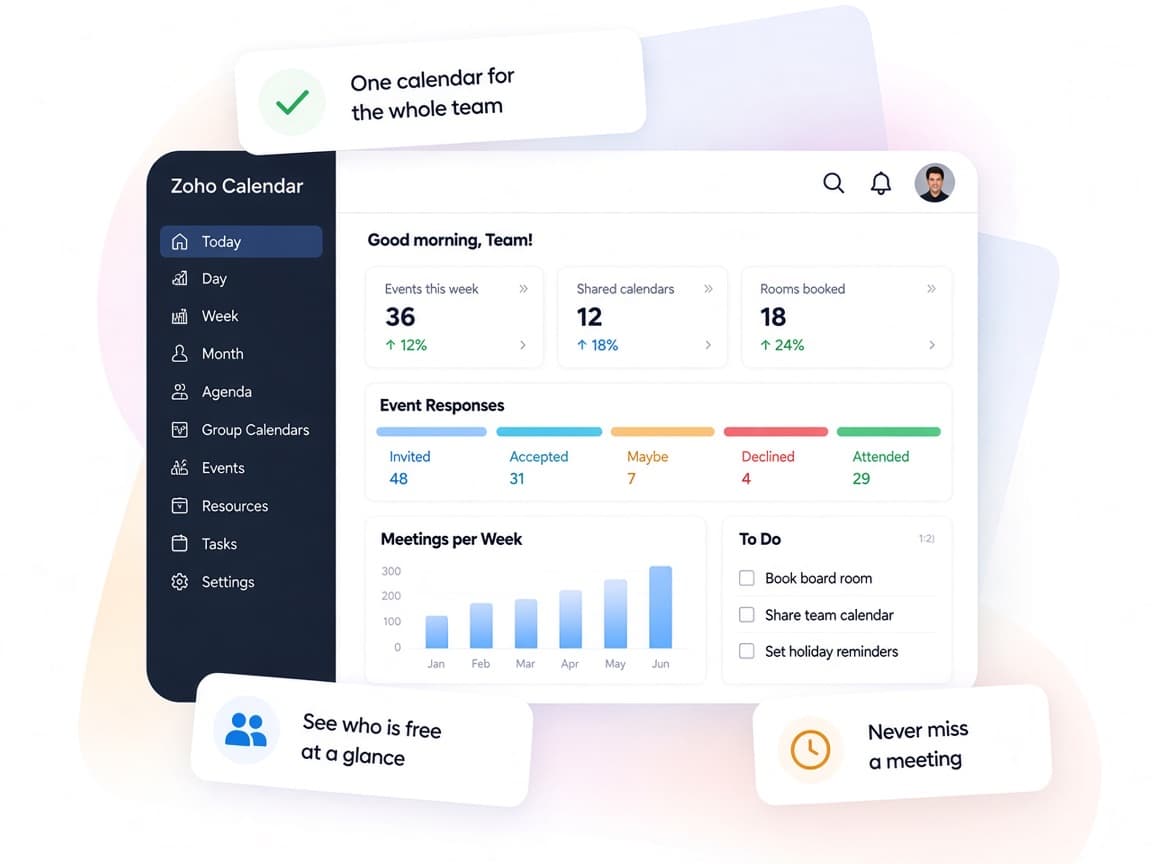
One calendar for everyone,no more scheduling ping-pong.
Zoho Calendar brings personal, team and resource schedules together, so people can book time without chasing replies.
- Every schedule togetherZoho app calendars and external calendars combine into one view.
- Team availabilityFree/busy sharing and auto-suggested slots end the back-and-forth.
- Your booking rulesBooking pages enforce buffers, limits and verified guests.
- Clear responsesDelivery status and yet-to-respond views show who has replied.
- Smarter schedulingSmart Add turns plain sentences into calendar events.
- Private by defaultGranular sharing reveals availability without exposing event details.
FAQ
Zoho Calendarquestions, answered.
Straight answers on setup, migration, integrations and timelines before you start.
Still have questions?
Tell us about your Zoho Calendar setup and our team will get back to you.
Yes. Zoho lists two-way sync for Google Calendar and Outlook, CalDAV sync for Apple Calendar and import sync from Calendly. We connect each account, check for duplicates and confirm changes flow both ways.
Yes. Zoho Calendar imports events from iCal, CSV and Google Calendar formats. We plan the move, import calendars for each user or group and verify recurring events and time zones before the switch.
Yes. Zoho Calendar's interoperability feature shows availability across Zoho and Exchange users in real time. We configure it as part of the admin setup and test scheduling between both groups.
Yes. Appointment Booking lets you publish booking pages with your availability, buffers and daily limits, and each confirmed booking can include a Zoho Meeting link. For more complex service scheduling, we may suggest Zoho Bookings instead.
Zoho offers a free version for individuals and small teams, and Calendar is a core app in paid Zoho Mail, Zoho Workplace and Zoho One plans. We review your licenses, set up the features you already have and train users on everyday scheduling.
This depends on the systems involved, API availability, data complexity, testing requirements and business rules. These are typical Xevort project estimates, not fixed delivery commitments.
Free Zoho consultation
Ready to get more from Zoho Calendar?
Tell us how your business works, what you want to improve, and where Zoho fits today. We'll recommend the right approach, with no obligation.
- Reply within 1 business day
- New or existing Zoho setups
- Fixed-scope proposals