Cloud & DevOps
CI/CD for Small Teams: A Simple Pipeline You Can Set Up This Week
Automated builds and deployments aren't just for big companies. Here's a lightweight pipeline, tool comparison and rollout plan a small team can set up in days.

Xevort Team
Zoho & technology experts
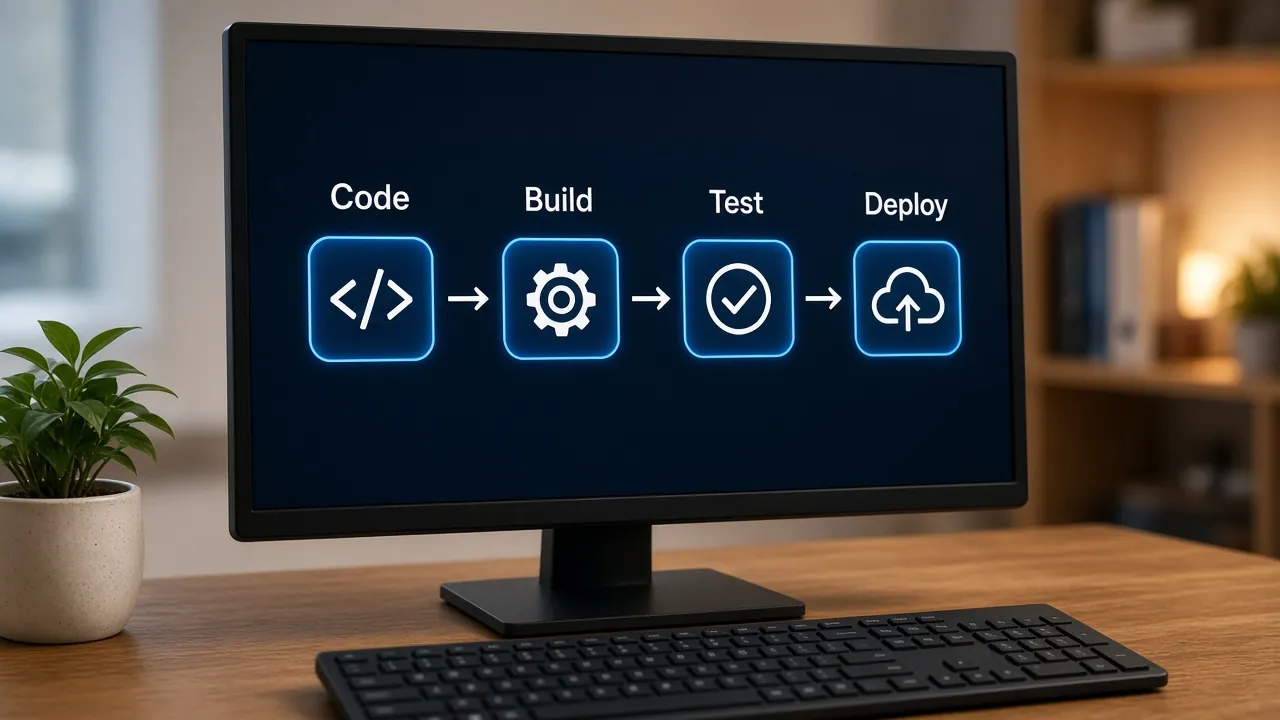
CI/CD for small teams doesn't need a platform engineer or a month of setup. A single pipeline that builds, tests and deploys every change removes manual release steps, catches mistakes earlier and makes shipping feel routine instead of risky. This guide explains the difference between CI, continuous delivery and continuous deployment, then walks through a starter pipeline you can set up this week.
We also compare GitHub Actions, GitLab CI and Bitbucket Pipelines, then cover branch strategy, secrets, rollbacks, which checks to add first, and web and mobile specifics. It's written for founders, tech leads and small development teams who want reliable releases without heavy process.
Quick Answer
How should a small team set up CI/CD?
Start with one pipeline that runs on every pull request and every merge to the main branch. It should build the code, run linting and tests, deploy a preview or staging environment, then deploy to production after a required approval. Use the CI built into your Git host (GitHub Actions, GitLab CI or Bitbucket Pipelines), keep credentials in its protected secret store, and add more checks gradually.
Key Takeaways
- Use the CI/CD tool built into your Git host so there's one less system to manage.
- Automate everything up to production, then keep one human approval before release.
- Store deployment credentials in protected environment secrets, or better, use short-lived OIDC tokens.
- Plan rollbacks before you need them, especially for database changes.
CI vs Continuous Delivery vs Continuous Deployment
The three terms are often used interchangeably, but they describe different levels of automation:
- Continuous integration (CI): every change is merged frequently and automatically built and tested, so problems surface within minutes.
- Continuous delivery: every change that passes CI is automatically packaged and deployed to staging, ready to release to production with one approval.
- Continuous deployment: every change that passes all checks goes to production automatically, with no manual step.
For most small teams, continuous delivery with a production approval is the sweet spot. You get the speed and consistency of automation, while a person still decides when customers see a change. Move to continuous deployment once your tests and monitoring are strong enough that you trust them more than a manual check.
A Starter CI/CD Pipeline for Small Teams
Here's the pipeline we set up for most small product teams. It works the same way whichever tool you use.
- Commit
- Build
- Test
- Preview
- Approve
- Deploy
- Monitor
In practice, the configuration file in your repository describes these stages:
- Triggers: run on every pull request, and on every push to the main branch.
- Build job: check out the code, set up a pinned runtime version, install dependencies from the lockfile with caching, and produce a build artifact.
- Test job: run the linter, type checks and unit tests; fail the pipeline on any error.
- Preview job: for pull requests, deploy to a temporary preview or staging URL so reviewers can click through the change.
- Production job: runs only on the main branch, references a protected production environment and waits for a required reviewer to approve.
- After deploy: run a quick smoke test against the live site and post the result to your team chat.
The key idea is build once, deploy the same artifact to staging and production. Rebuilding for each environment risks shipping something slightly different from what you tested.
Adapting It for Websites and Web Apps
Preview deployments per pull request are the biggest win for web teams: designers, testers and clients review a real URL before anything ships. Modern frameworks make this straightforward; see our guide to Next.js for business websites. Set preview environments to stop automatically, as GitLab review apps can, because forgotten environments quietly add to the bill; our guide to cloud cost control covers this.
Adapting It for Mobile Apps
Mobile pipelines add code signing and store distribution. Store signing certificates, keystores and store API keys as protected secrets, and note that iOS builds need macOS runners. A good pipeline builds on every merge and uploads to TestFlight or a Google Play testing track for review. Our app store launch guide covers the release side, and our mobile app development team can set this up for Flutter or native projects.
GitHub Actions vs GitLab CI vs Bitbucket Pipelines
All three can run the pipeline above. The best choice is almost always the one built into the platform where your code already lives.
- Configuration
- GitHub ActionsYAML workflow files in the .github/workflows folderGitLab CI/CDA .gitlab-ci.yml file in the repositoryBitbucket PipelinesA bitbucket-pipelines.yml file in the repository
- Deployment environments
- GitHub ActionsEnvironments with their own secrets and variablesGitLab CI/CDEnvironments with deployment history and tiersBitbucket PipelinesTest, Staging and Production environments by default
- Production approvals
- GitHub ActionsRequired reviewers on an environmentGitLab CI/CDDeployment approvals on protected environmentsBitbucket PipelinesManual trigger steps, with deployment permissions
- Preview environments
- GitHub ActionsVia deploy jobs or hosting integrationsGitLab CI/CDBuilt-in review apps per branch or merge requestBitbucket PipelinesDeploy steps on pull request pipelines
- Reusable building blocks
- GitHub ActionsMarketplace actionsGitLab CI/CDTemplates and CI/CD componentsBitbucket PipelinesPipes
- Best fit
- GitHub ActionsTeams already on GitHubGitLab CI/CDTeams wanting an all-in-one DevOps platform or self-hostingBitbucket PipelinesTeams using Jira and other Atlassian tools
| Feature | GitHub Actions | GitLab CI/CD | Bitbucket Pipelines |
|---|---|---|---|
| Configuration | YAML workflow files in the .github/workflows folder | A .gitlab-ci.yml file in the repository | A bitbucket-pipelines.yml file in the repository |
| Deployment environments | Environments with their own secrets and variables | Environments with deployment history and tiers | Test, Staging and Production environments by default |
| Production approvals | Required reviewers on an environment | Deployment approvals on protected environments | Manual trigger steps, with deployment permissions |
| Preview environments | Via deploy jobs or hosting integrations | Built-in review apps per branch or merge request | Deploy steps on pull request pipelines |
| Reusable building blocks | Marketplace actions | Templates and CI/CD components | Pipes |
| Best fit | Teams already on GitHub | Teams wanting an all-in-one DevOps platform or self-hosting | Teams using Jira and other Atlassian tools |
A Branch Strategy That Keeps CI/CD Simple
Complex branching models slow small teams down. We recommend a trunk-based approach:
- One main branch that is always deployable and maps to production.
- Short-lived feature branches merged through pull requests within a few days.
- Branch protection on main requiring passing checks and at least one review before merging.
- Tags or releases to mark what went live, which makes rollbacks and changelogs easier.
- Feature flags to merge unfinished work safely without exposing it to users.
If you need a long-running staging branch for a client sign-off process, keep it, but avoid adding more long-lived branches than you have environments.
Managing Secrets in CI/CD
Pipelines need credentials to deploy, which makes them an attractive target. A few rules keep them safe:
- Use the built-in secret store, never the repository, and make sure values are masked in job logs.
- Scope secrets to environments. In GitHub Actions, environment secrets are only available to jobs that use that environment, after any required reviewers approve.
- Prefer OpenID Connect (OIDC). GitHub, GitLab and Bitbucket can issue short-lived tokens that AWS, Azure and Google Cloud accept, so there are no long-lived cloud keys to leak or rotate.
- Give the deploy role least privilege: permission to deploy the app, not to administer the whole cloud account.
- Rotate credentials when someone with access leaves, and review who can edit pipeline files.
Pipeline security is one part of a broader baseline; our guide to cloud foundations for startups covers identity, secrets management and environments in more depth.
Rollbacks: Plan Your Undo Button
Every deployment process needs a fast, rehearsed way back. The simplest options, roughly in order of speed:
- Redeploy the previous artifact. Many hosting platforms keep earlier versions, and Bitbucket's deployments dashboard offers a redeploy option for previous successful deployments while their artifacts are still available.
- Revert the commit on main and let the pipeline ship the reverted version.
- Switch off a feature flag if the problem is limited to one feature.
Add Checks Gradually
Don't try to build the perfect pipeline on day one. Start with fast, reliable checks and add one at a time, fixing flaky steps before adding more. A sensible order:
- Formatting and linting
- Type checks and a successful build
- Unit tests for critical business logic
- Dependency vulnerability scanning
- Secret scanning to block committed credentials
- End-to-end smoke tests on the preview environment
- Performance or accessibility budgets for key pages
Keep the pull request pipeline fast (ideally a few minutes) so developers wait for it instead of working around it. Move slow suites to a nightly run if needed.
Common CI/CD Mistakes Small Teams Make
- Tolerating flaky tests: once people learn to click re-run, they stop trusting red builds.
- Slow pull request pipelines that encourage developers to skip or batch changes.
- Deploying from laptops alongside the pipeline, so nobody knows exactly what is live.
- Long-lived cloud keys stored as repository secrets with broad admin permissions.
- No rehearsed rollback, discovered during the first bad release.
- Skipping post-deploy checks, so problems are reported by customers instead of alerts.
Frequently Asked Questions
What is the difference between CI and CD?
Continuous integration (CI) automatically builds and tests every code change so problems are caught early. Continuous delivery (CD) goes further by automatically deploying passing changes to staging so they're ready for production with one approval. Continuous deployment removes that approval and releases every passing change to production automatically.
Which CI/CD tool is best for a small team?
Usually the one built into your code host: GitHub Actions for GitHub, GitLab CI/CD for GitLab and Bitbucket Pipelines for Bitbucket. All three handle builds, tests and deployments well. Staying on one platform means fewer accounts, simpler permissions and pull request checks that work out of the box.
How long does it take to set up a CI/CD pipeline?
A basic pipeline that builds, tests and deploys a single web app can often be running within a few days. Adding preview environments, production approvals, OIDC authentication and mobile code signing typically takes one to three weeks, depending on how standardized the existing build process is.
Should small teams use continuous deployment to production?
Only once tests and monitoring are reliable. Most small teams are better served by continuous delivery with one production approval, which keeps a human check without slowing releases much. Teams with strong automated tests, feature flags and fast rollbacks can safely remove the approval step later.
How do you store secrets safely in a CI/CD pipeline?
Keep them in your CI tool's encrypted secret store, scoped to the environment that needs them, never in the repository. Where possible, use OpenID Connect so the pipeline receives short-lived cloud credentials per job. Give the deploy role minimal permissions and rotate any static credentials when team members leave.
Conclusion
A good CI/CD pipeline for a small team is simple: build once, test automatically, preview every change, approve production and keep a rehearsed way back. You can have that running in days, then improve it one check at a time.
If you'd like help setting up pipelines for your web or mobile products, our cloud and DevOps team can design one around your stack. Talk to us about your release process.
References

Written by
Xevort Team
Developers and Zoho consultants writing up practical lessons from client projects.
Want help applying this?
Tell us about your Zoho, product or cloud project and we'll suggest a sensible next step.